Complete asset lifecycle management—from acquisition to assignment to return.
Company equipment is a valuable investment. Employko's Employee Assets module ensures you never lose track of laptops, phones, or any equipment you provide. With comprehensive tracking, assignment history, and seamless onboarding integration, asset management becomes effortless and accountable.
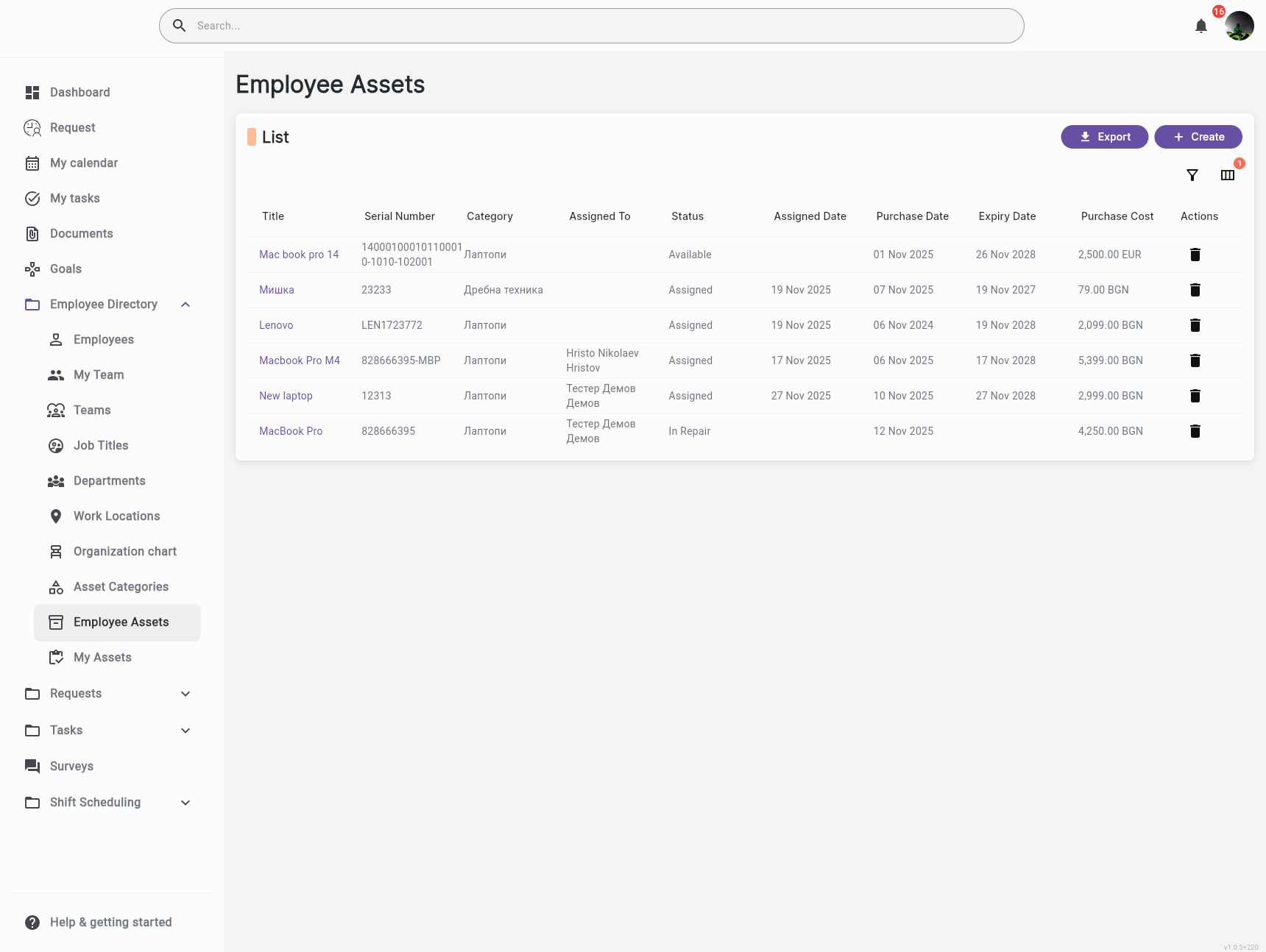
Track every asset from the moment it's acquired through assignment, transfers, maintenance, and return. See complete history, current status, and future availability—never lose track of company property
Know exactly who had what asset and when. Full audit trail shows assignment dates, transfer history, return dates, and current status. Perfect for compliance, insurance, and inventory management
HR or designated roles manually assign assets to employees. When a new employee starts, HR assigns their laptop, phone, and equipment through the system—ensuring proper tracking and accountability
Track asset status (Available, Assigned, Under Maintenance, Retired) and maintenance needs. Set reminders for service, track warranty information, and ensure assets are properly maintained
Organize your equipment with customizable categories. Define default lifetimes, mark which assets require return during offboarding, and keep your inventory structured and searchable.
Register assets with serial numbers, purchase details, warranty dates, and costs. Track status changes from Available to Assigned, In Repair, or Disposed—every transition is logged for full accountability.
Know exactly who had what and when. Every assignment and return is recorded with timestamps, notes, and responsible parties. Perfect for audits, compliance, and operational clarity.
Link asset assignments to onboarding tasks. When new employees join, their equipment provisioning happens automatically as part of the workflow—no manual tracking needed.
A new employee starts. During onboarding, the system automatically assigns them a laptop (serial: LAP-2024-001), a phone (serial: PHN-2024-045), and a monitor. All assets are tracked, and the employee can see what they've been assigned
An IT manager needs to track 200 laptops across 5 office locations. They view the asset dashboard, see which are assigned, which are available, and which need maintenance. They can filter by location, status, or employee
An employee is leaving. The offboarding workflow includes tasks to return all assets. The system shows what was assigned (laptop, phone, monitor), tracks return status, and updates asset availability automatically
A facilities manager maintains inventory of office furniture, tools, and equipment. They track serial numbers, assignment history, maintenance schedules, and retirement dates—ensuring nothing is lost and everything is accounted for


Streamline your HR operations with intelligent automation and real-time insights.