Create, assign, and publish shifts with smart scheduling that keeps your team covered.
Scheduling shouldn't be a puzzle. Employko's Shift Scheduling module gives managers the tools to build efficient schedules, ensure proper coverage, and keep employees informed. With built-in rest period validation and intuitive calendar views, creating the perfect schedule has never been easier.
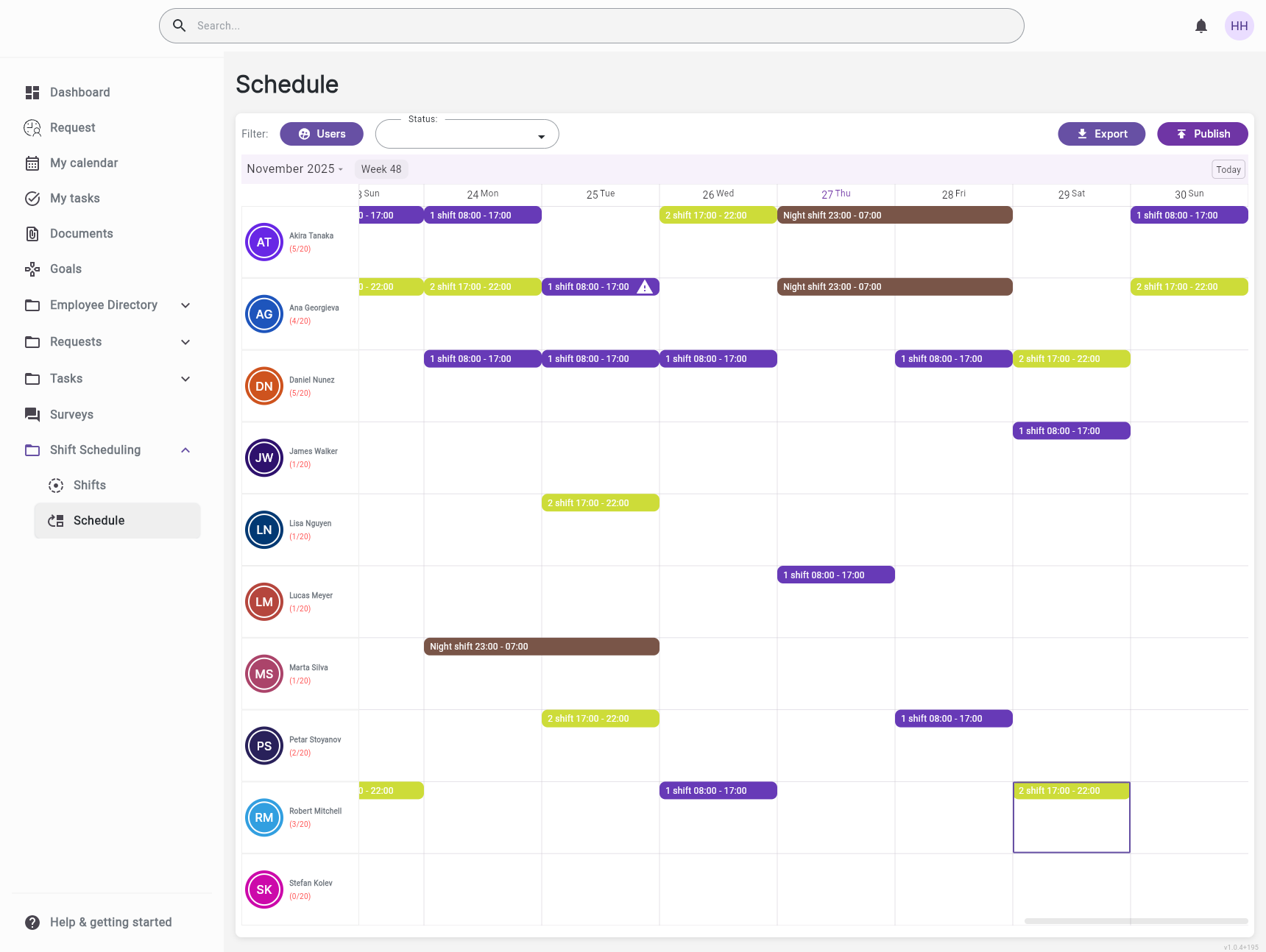
Create schedules effortlessly with an easy-to-use calendar interface. Assign employees to shifts with simple clicks, see coverage at a glance, create drafts, and publish when ready—all from one unified view
The system automatically warns when consecutive shifts violate minimum rest periods. Prevent scheduling errors before they happen, protect employee wellbeing, and maintain compliance effortlessly
Employees see their published shifts immediately in their personal calendar. View shift names, times, updates, and all details—no confusion, no missed shifts, no last-minute surprises
Automatic validation of rest periods between shifts, special handling for night shifts, and compliance tracking. Stay compliant with labor regulations without manual calculations
Define shifts that match your operations—morning, evening, night, or any custom pattern. Set start and end times, assign colors for visual clarity, and configure minimum rest periods to ensure compliance.
Build schedules with an easy-to-use calendar interface. Assign employees to shifts with simple clicks. Create draft schedules, review coverage, and publish when ready—all from one view.
Protect your team and stay compliant. The system automatically validates minimum rest periods between consecutive shifts based on each shift type's configuration. Get real-time warnings when scheduling conflicts occur, including night shift handling for shifts that span multiple calendar days. Make informed decisions while keeping employee wellbeing in focus.
Employees see their published shifts instantly. Personal calendar views show upcoming work days with all the details they need—shift name, times, and any updates. No more confusion about when to show up.
A retail store manager creates next week's schedule. They drag employees to morning, evening, and night shifts. The system warns when someone is scheduled too close to their previous shift, preventing rest period violations
A hospital needs to schedule nurses across three shifts. The manager creates the schedule, assigns night shifts with proper rest periods, and publishes it. All nurses see their shifts instantly on their phones
A manufacturing plant runs 24/7 with rotating shifts. The scheduling manager creates monthly schedules, ensures proper coverage across all departments, and tracks compliance with rest period requirements automatically
A restaurant prepares for the holiday rush. The manager creates a special schedule, ensures adequate coverage during peak hours, and publishes it. Employees receive notifications and can see their shifts immediately


Streamline your HR operations with intelligent automation and real-time insights.