Claims, categories, campaigns, amount-based approvals, and reports in one HRIS.
Employko Expenses brings employee spend into the same platform as the rest of HR. A claim keeps the amount, the date, the category, an optional campaign, and an optional receipt together — then follows the approval policy that matches that amount, until an expense manager marks it paid.
The claim, the receipt, the approval steps, and the paid mark stay on the same record — so finance does not rebuild the story from chat
Auto-approve the band you trust. Keep a human chain for the rest, in an order your team already understands
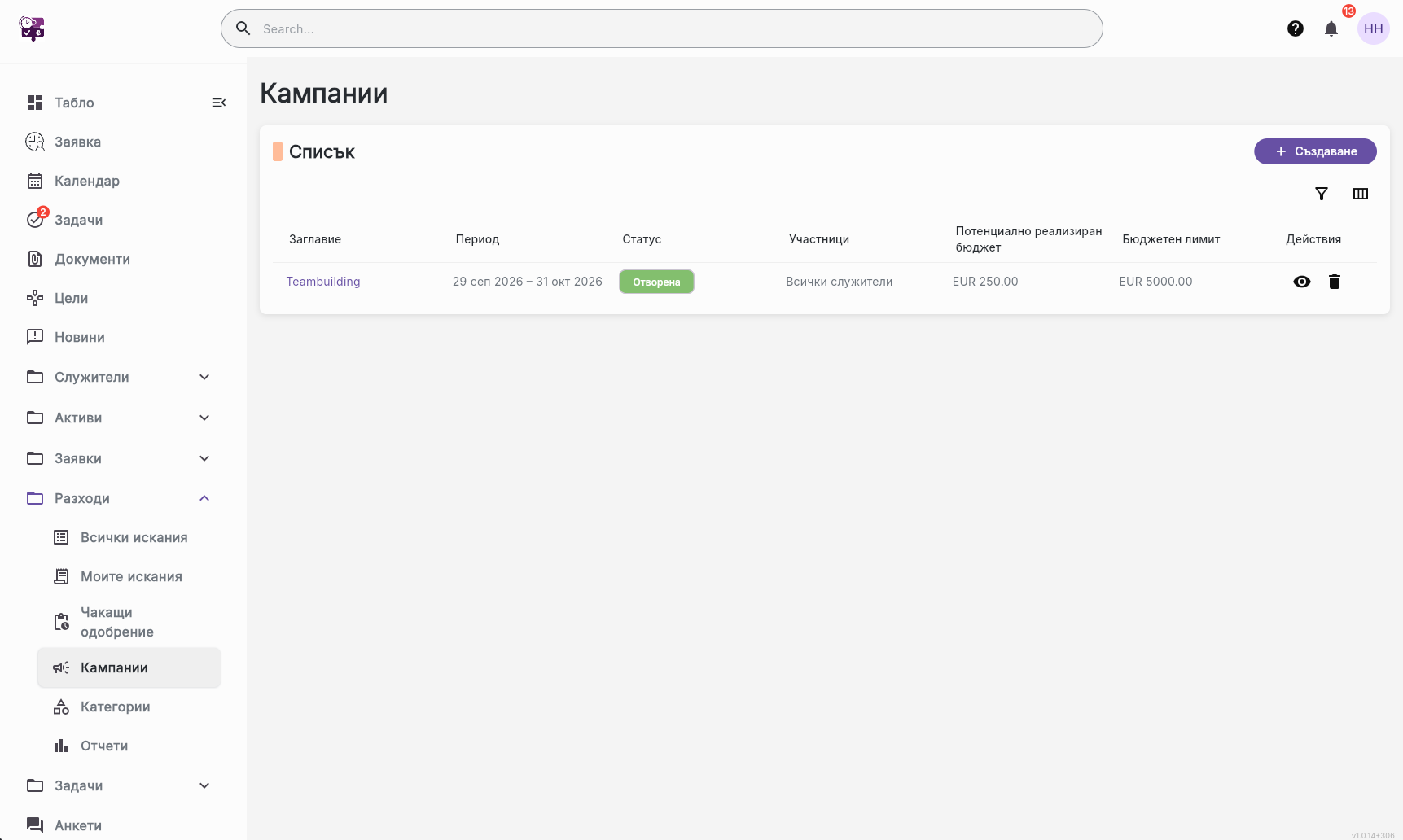
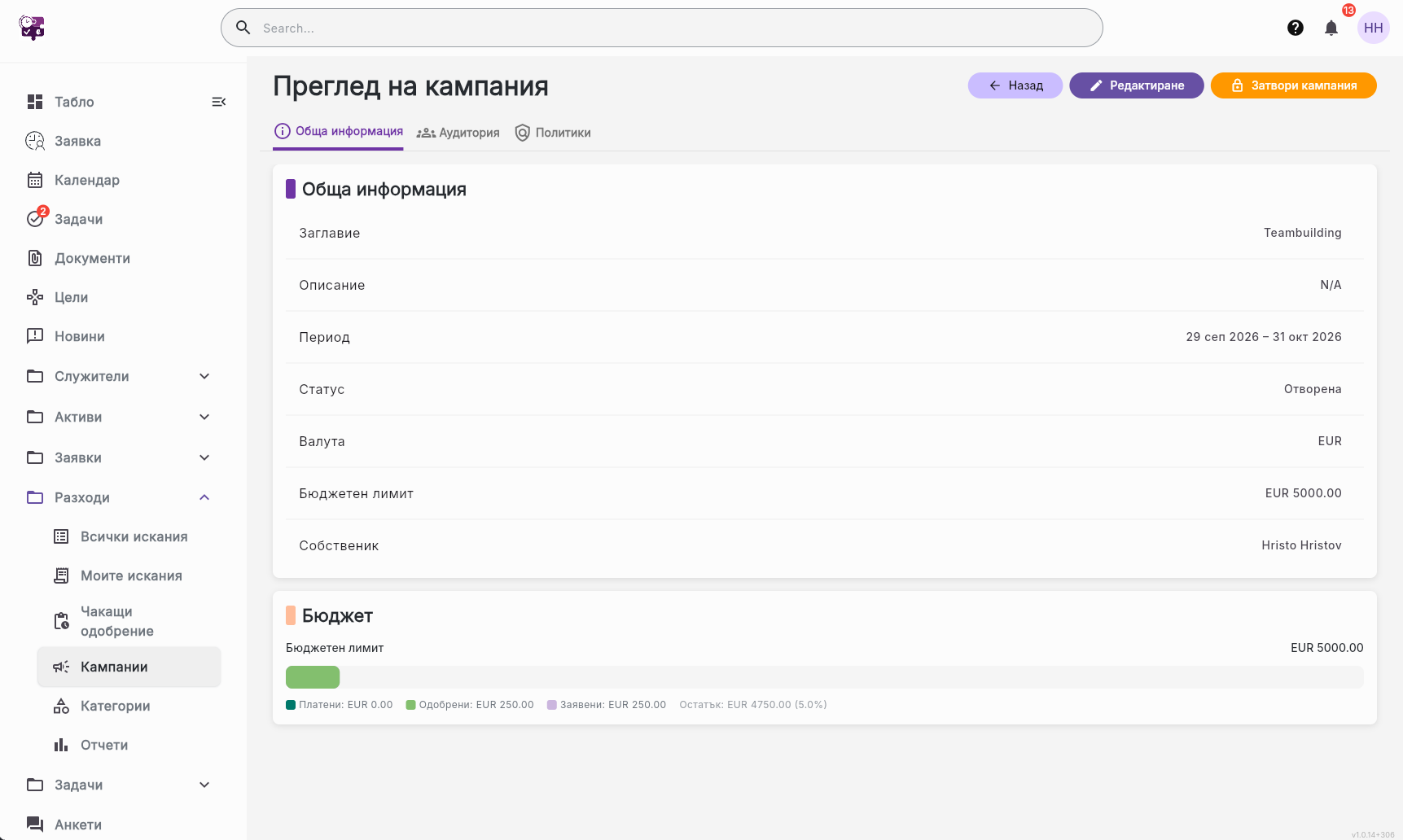
Campaigns limit who can claim, which dates count, and how much has been requested, approved, and paid against the cap
Employees submit from the same system they use for leave, documents, and profiles — managers approve what is waiting for them
Employees submit a title, amount, expense date, and category. A campaign is optional. A receipt can be attached, and it is not required to submit.
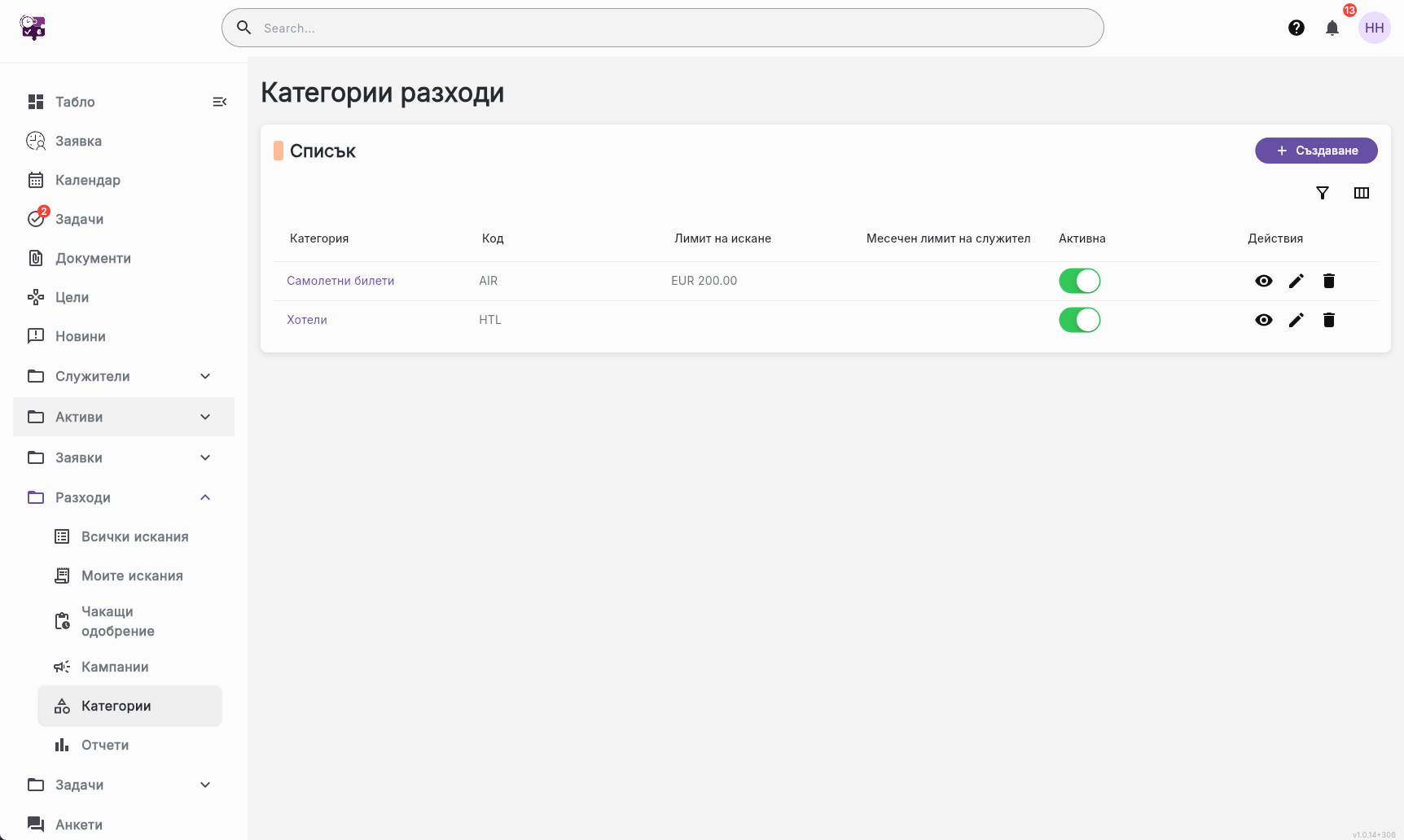
Each category has its own currency, an approval policy, and optional per-claim and monthly limits. Inactive categories cannot be used for new claims.
A campaign has a date window, an optional budget cap, and an audience: everyone in the organisation, or selected employees, departments, teams, and locations. Its policy replaces the category policy for claims filed under it.
Amount bands cover the full range. A band can auto-approve, or require steps in order: direct manager, a named person, an expense manager, or the campaign owner. Missing, deactivated, or self-approval steps are skipped. A rejection returns the claim to the person who submitted it.
Limits, approval bands, and the campaign budget use the category currency — or the campaign currency when the claim belongs to a campaign. An amount entered in another currency is converted with the rate on the expense date.
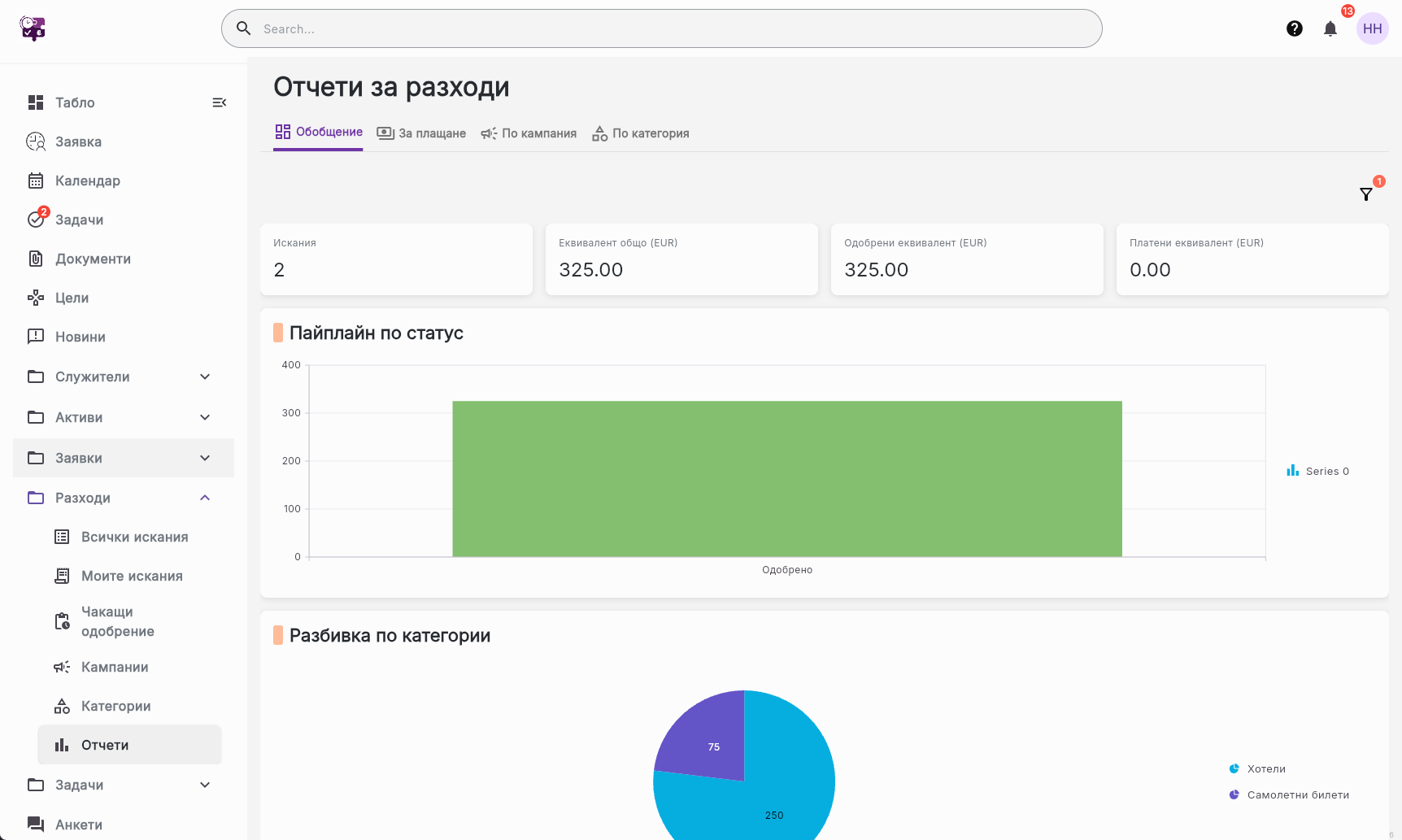
See spend by employee in the currency you pay, with an optional reporting currency (the screen defaults to EUR) converted on each expense date. Payable totals are grouped by employee and currency. Expense managers and admins mark approved claims as paid.
An employee submits a client lunch under Travel. The amount sits in the auto-approve band, so the claim is approved without a manual step. An expense manager can then mark it paid
HR opens a conference campaign with dates, a budget cap, and a named audience. Claims in that window follow the campaign policy, and spend is tracked as requested, approved, and paid
A receipt is in USD and the category is in EUR. Employko converts the amount with the rate on the expense date, then evaluates limits and approval bands in EUR
A claim is over the monthly category limit. Submission still goes through with a warning, and the approver confirms the exception before the claim can be approved



Streamline your HR operations with intelligent automation and real-time insights.