From first day to every day—manage onboarding and beyond with intelligent task workflows.
Great employee experiences are built on seamless processes. Employko's Tasks module ensures nothing falls through the cracks—whether it's a new hire's first week or ongoing team responsibilities. With smart automation and clear accountability, every task gets done right and on time.
Tasks appear automatically at First Day, First Week, First Month, Second Month, and Third Month milestones. No manual planning—the system calculates due dates from each employee's start date
Every task has a designated owner—direct manager, employee, or assigned team member. Built-in validation prevents conflicts and ensures nothing falls through the cracks
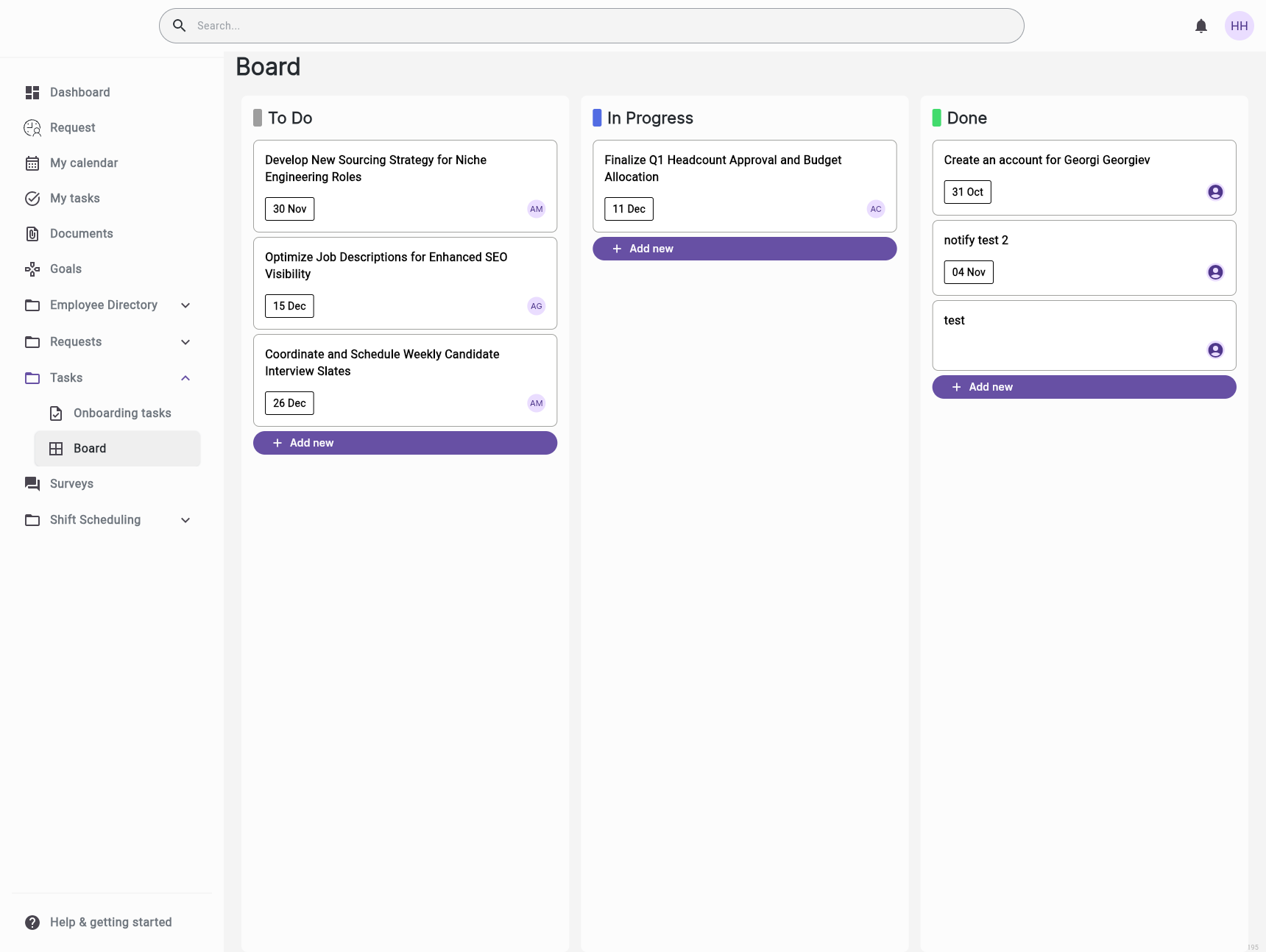
Track progress from 'To Do' to 'In Progress' to 'Completed' with timestamps. Get instant visibility into what's done, what's pending, and what needs attention
Go beyond checkboxes. Collect file uploads, manager ratings (1-5 scale), detailed feedback, and completion notes. Turn tasks into valuable touchpoints for performance
Schedule tasks based on employee milestones—First Day, First Week, First Month, Second Month, and Third Month. The system automatically calculates due dates based on each employee's start date, with optional offset days for fine-tuning. Tasks appear exactly when needed, ensuring a consistent and thorough experience for every team member.
Assign tasks to specific users or let the system do it automatically. Direct managers, the employees themselves, or hand-picked team members can be designated as task owners—with built-in validation to prevent conflicts.
Track every task from "To Do" through "In Progress" to "Completed." Timestamps capture when work is done, keeping everyone accountable and providing clear audit trails for compliance.
Go beyond simple checkboxes. Request file uploads, collect manager feedback, and rate task completion. Turn tasks into meaningful touchpoints for performance tracking and employee development.
A new software engineer starts on Monday. On their first day, tasks appear automatically: 'Set up development environment', 'Complete security training', 'Meet with team lead'. The system calculated them from their start date
An HR manager needs to collect onboarding documents from 20 new employees. They create a task template, assign it to all new hires, and track completion status in one dashboard—saving 10+ hours weekly
A manager wants feedback on a new employee's first month. They complete the 'First Month Review' task, rate performance 4/5, upload feedback notes, and the system records it for annual review
Compliance requires all employees to complete security training annually. HR creates a recurring task, assigns it to everyone, and tracks completion with full audit trails for regulatory reports


Streamline your HR operations with intelligent automation and real-time insights.