A private cloud space for every employee — plus secure, signature-ready document workflows for HR. All in one place.
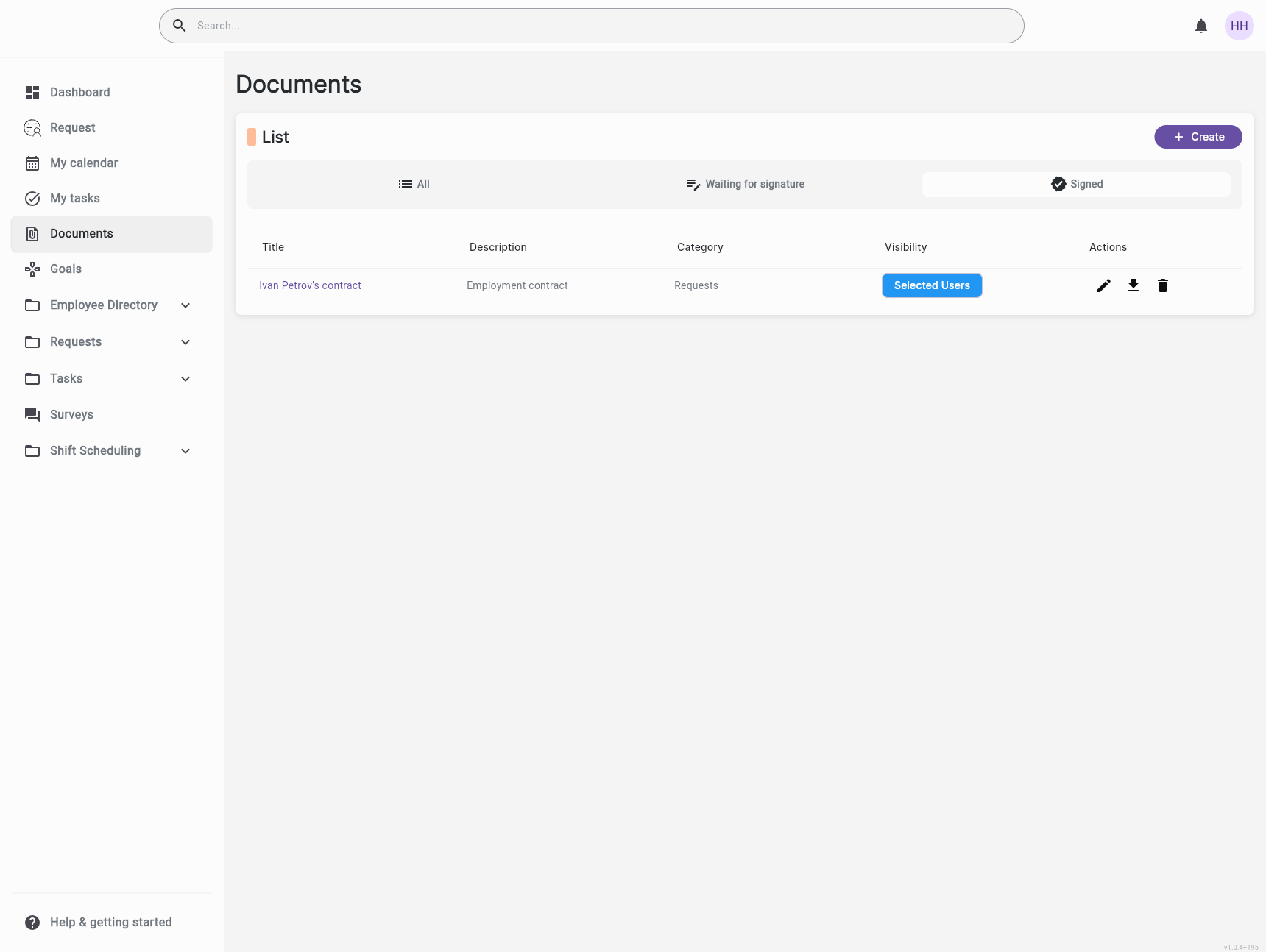
Employko's Documents module gives every employee a personal cloud drive for storing work files, drafts, and personal copies of important paperwork — fully private by default, with no one else able to see it unless you explicitly choose to share. On top of that, it doubles as your organization's central HR document hub for contracts, policies, payslips, and signed records. Storage is pooled across the company (for example, 40 GB shared by the whole organization), so everyone benefits from the same secure, compliant infrastructure — without sacrificing privacy.
Replace personal cloud accounts and email attachments with a sanctioned, secure place to keep work files. Every employee gets their own private space backed by enterprise-grade controls — onboarded with zero friction
Storage is pooled across the company (e.g., 40 GB shared by everyone), so capacity is right-sized for your team — but your files remain private to you unless you choose otherwise. One bill, full privacy
Every signature, every share, every access change is logged. Build the evidence base auditors expect — without manual tracking spreadsheets or third-party tools
Find any document in seconds with full-text search and filters across My Drive, Shared with Me, Starred, Recent, and the company's System folders. No more digging through email or chat threads
Every employee gets a personal Drive area for their own files. Upload work documents, drafts, or scans — nothing is visible to anyone else unless you actively share it. Even your manager and HR cannot see what's inside until you decide to share.
Choose exactly who sees each file or folder with four clear presets: Private (just you), Selected users (named teammates), Public (everyone in the organization), or Admins only. New folders default to Private to protect you from accidental oversharing.
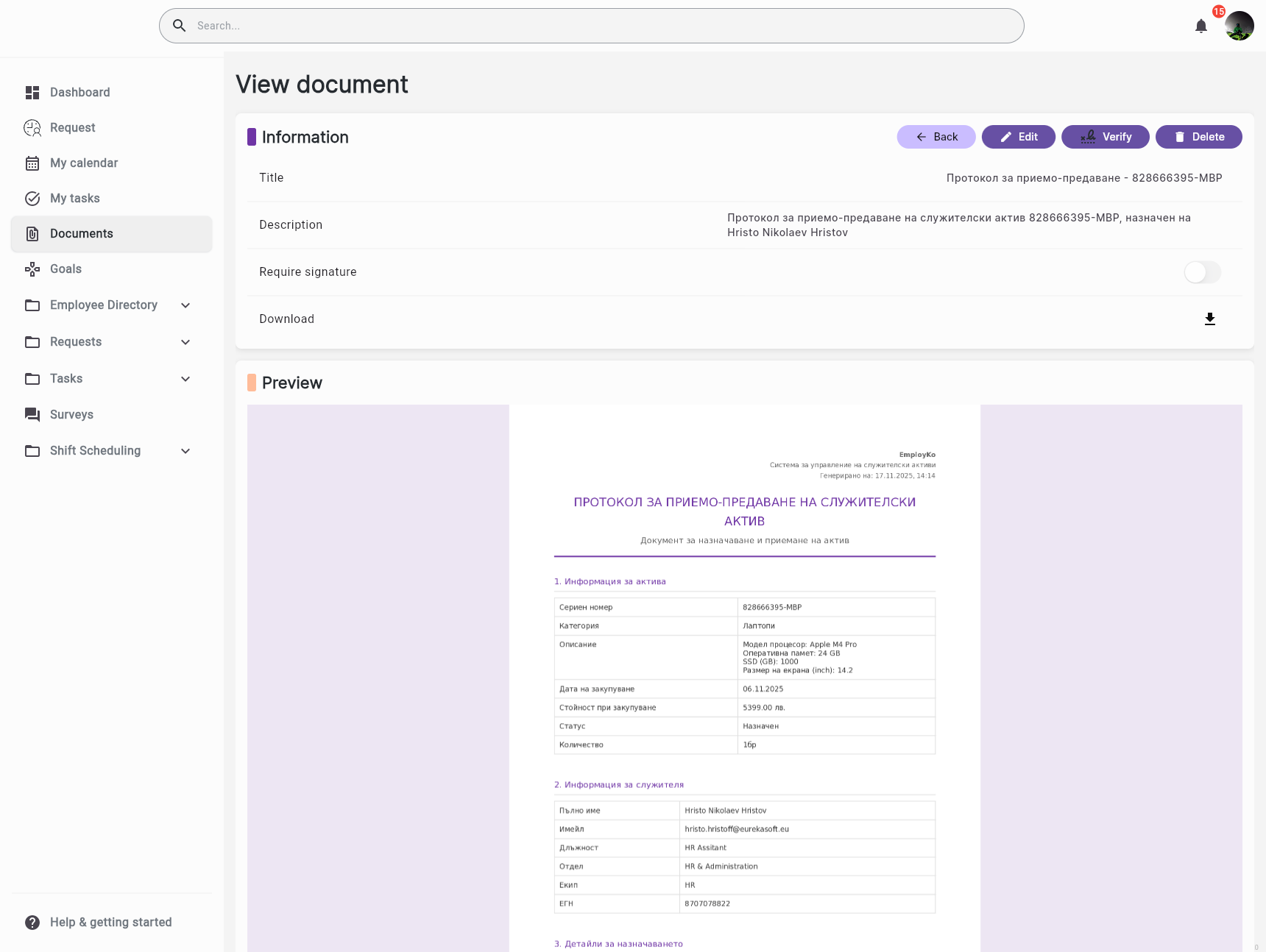
Mark documents as requiring signature and track who has signed and when. MFA-protected e-signing builds a full audit trail — perfect for policies, contracts, payslips, and any document where compliance matters.
Star important files, find anything shared with you in one place, jump to recently opened documents, and restore deleted items from the Trash — all the conveniences employees expect from a modern cloud Drive.
An employee scans receipts and personal copies of their contract into their My Drive, knowing no one else can see them — even their manager. When they need to share a specific receipt for reimbursement, they switch its visibility to Selected users and pick the finance lead
HR uploads the new company privacy policy to a System folder, marks it as requires signature, and assigns it to all employees. The system tracks who has signed, sends reminders, and produces an audit-ready PDF
A team lead creates a Selected users folder for an internal project, drops in specs and meeting notes, and adds the four engineers on the project. Everyone outside the team — including other managers — never sees the folder exists
An employee accidentally deletes a year of personal work notes from My Drive. They open the Trash, restore the folder with one click, and the parent directory refreshes automatically — no manual reload needed


Streamline your HR operations with intelligent automation and real-time insights.